

When it comes to reaching your fitness goals, knowledge is power—and precision is key. You’ve turned your shed into a home gym sanctuary, but to truly elevate your workouts, it’s time to harness the features and tracking capabilities of Garmin Connect. This guide is your personal coach to getting the most out of your fitness routine.
Key Takeaways
-
Garmin Connect can transform your home gym workouts with advanced tracking and custom workouts.
-
Choose the right Garmin device by considering features like heart rate monitoring and GPS capabilities.
-
Set up your Garmin Connect account and pair your device to start tracking immediately.
-
Create personalized workout plans and utilize pre-loaded workouts for a varied exercise routine.
-
Analyze your workout data to understand your progress and stay motivated on your fitness journey.
Transform Your Home Gym Shed Workout with Garmin Connect

Imagine having a personal trainer right in your home gym, one that’s precise, always available, and keeps track of every detail of your workout. That’s what Garmin Connect can be for you. With this tool, you’ll not only track your workouts but also customize them to fit your unique fitness goals. Let’s dive into the world of Garmin Connect and see how it can take your home gym sessions to the next level.
Step-by-Step Guide to Enhancing Your Workout
The first step is to make sure you’ve got the right gear. You’ll need a Garmin fitness tracker that suits your needs, whether you’re lifting weights, doing HIIT, or anything in between. Once you’ve got your device, you’ll set up your Garmin Connect account—think of it as mission control for your fitness journey.
Tracking Your Progress with Precision
With Garmin Connect, every rep, step, and heartbeat can be recorded. This isn’t just about counting; it’s about understanding your body and the effects of your workouts. You’ll see not just how many calories you’ve burned, but also how your heart rate fluctuates, how your performance improves over time, and so much more.
Finding Your Fit: Choosing the Right Garmin Device
Before you can start tracking, you need the right tool for the job. Garmin offers a range of devices, and choosing one depends on your workout preferences. Here’s a quick guide:
Features to Look for in a Garmin Fitness Tracker

“Fitness Activity Tracker with GPS” from www.garmin.com and used with no modifications.
-
Heart Rate Monitoring: Essential for tracking the intensity of your workouts.
-
Built-in GPS: Great for runners or cyclists who want to map their routes.
-
Water Resistance: A must-have if you’re into swimming or sweat a lot.
-
Long Battery Life: You don’t want your device dying in the middle of a workout.
-
Compatibility: Ensure it syncs with the Garmin Connect app for seamless tracking.
Comparing the Top Garmin Models for Home Workouts
Let’s compare a couple of popular Garmin models to help you decide:

“Garmin Forerunner 265s Review | Trusted …” from www.trustedreviews.com and used with no modifications.
|
Model |
Heart Rate Monitor |
GPS |
Battery Life |
Special Features |
|---|---|---|---|---|
|
Garmin Forerunner 45 |
Yes |
Yes |
Up to 7 days |
Running-focused features, safety tracking |
|
Garmin Venu Sq |
Yes |
Yes |
Up to 6 days |
Touchscreen, preloaded workouts, energy monitoring |
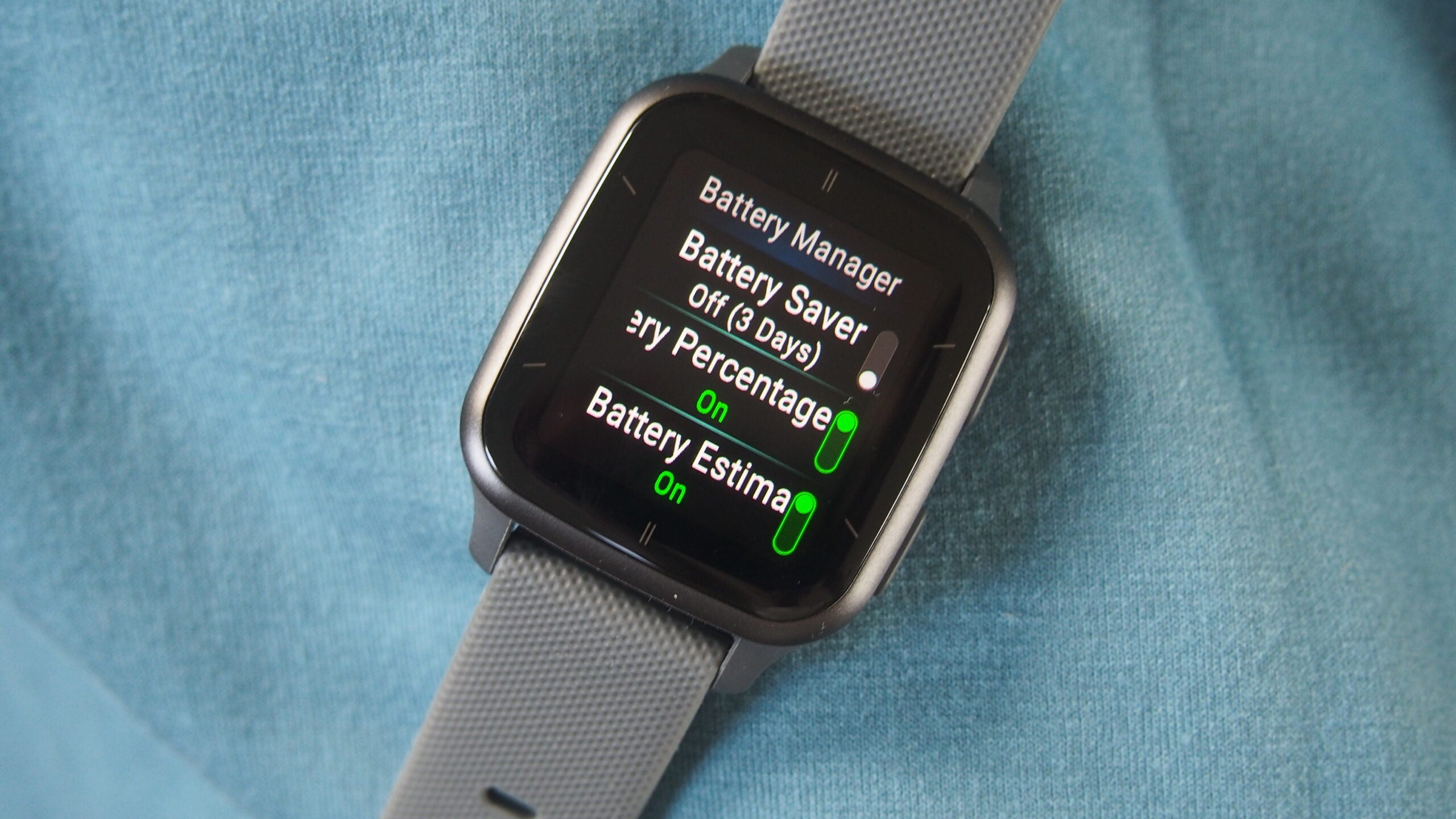
“Garmin Venu Sq 2 a bargain fitness tracker” from www.trustedreviews.com and used with no modifications.
Choose the model that fits your workout style and the features you find most useful. For example, if you’re into running, the Forerunner series might be your best bet. For a more general approach, the Venu series provides a variety of workout options.
Setting Up Garmin Connect for Ultimate Workout Tracking
Creating a Garmin Connect Account
First things first, let’s get your Garmin Connect account up and running. It’s straightforward:
-
Download the Garmin Connect app on your smartphone.
-
Open the app and follow the prompts to create a new account.
-
Enter your details like name, age, weight, and fitness goals.
-
Agree to the terms and you’re set!
Now, with your account ready, you’re one step closer to that high-tech home gym experience.
Pairing Your Garmin Device with Garmin Connect

“Garmin Vivoactive 5 Review | Trusted …” from www.trustedreviews.com and used with no modifications.
Next up, let’s pair your device with the Garmin Connect app. It’s like introducing two friends who are about to become best workout buddies:
-
Turn on your Garmin device and make sure it’s near your phone.
-
In the Garmin Connect app, go to ‘Devices’ and tap ‘Add Device’.
-
Select your device from the list and follow the instructions to pair.
-
Once paired, your device will sync data with the app automatically.
And just like that, you’re ready to track every aspect of your workouts. But it’s not just about tracking; it’s about making those numbers work for you.
Customizing Your Training: Garmin Connect Workout Features
Now that you’re all set up, let’s talk about customizing your training. Garmin Connect isn’t just a dashboard for your data; it’s a tool to create a workout regimen tailored to your goals. You can choose from a vast library of pre-loaded workouts or design your own custom routine. Here’s how:
Utilizing Pre-Loaded Workouts for Efficiency
Garmin Connect comes with an array of pre-loaded workouts that cater to different fitness levels and goals. To access them:
-
Open the Garmin Connect app and navigate to the ‘Workouts’ section.
-
Browse through categories like cardio, strength, yoga, or pilates.
-
Choose a workout that aligns with your goals and download it to your device.
These workouts come with detailed instructions and animations, making it easy to follow along and ensure you’re doing each exercise correctly.
Designing Personalized Workout Plans
If you’re looking to get more specific with your training, creating personalized workout plans is the way to go:
-
In the Garmin Connect app, go to ‘Workouts’ and select ‘Create a Workout’.
-
Add exercises by browsing the extensive list or creating custom ones.
-
Set the reps, sets, and rest intervals for each exercise.
-
Save your workout and sync it with your Garmin device.
With custom workouts, you’re in control. You can target specific muscle groups, work on your weaknesses, and build a plan that evolves with you.
Implementing Garmin Coach for Structured Training

“Garmin Forerunner 965 Review | Trusted …” from www.trustedreviews.com and used with no modifications.
For those looking for more guidance, Garmin Coach offers adaptive training plans for running and cycling. Here’s how to get started:
-
Select ‘Garmin Coach‘ from the Garmin Connect menu and choose your sport.
-
Set your goal, whether it’s a 5K, half marathon, or a cycling event.
-
Choose a coach and your plan will be created based on your fitness level and goals.
Garmin Coach adapts as you progress, ensuring you’re always training at the right intensity. It’s like having a personal coach who’s always ready to adjust your plan on the fly.
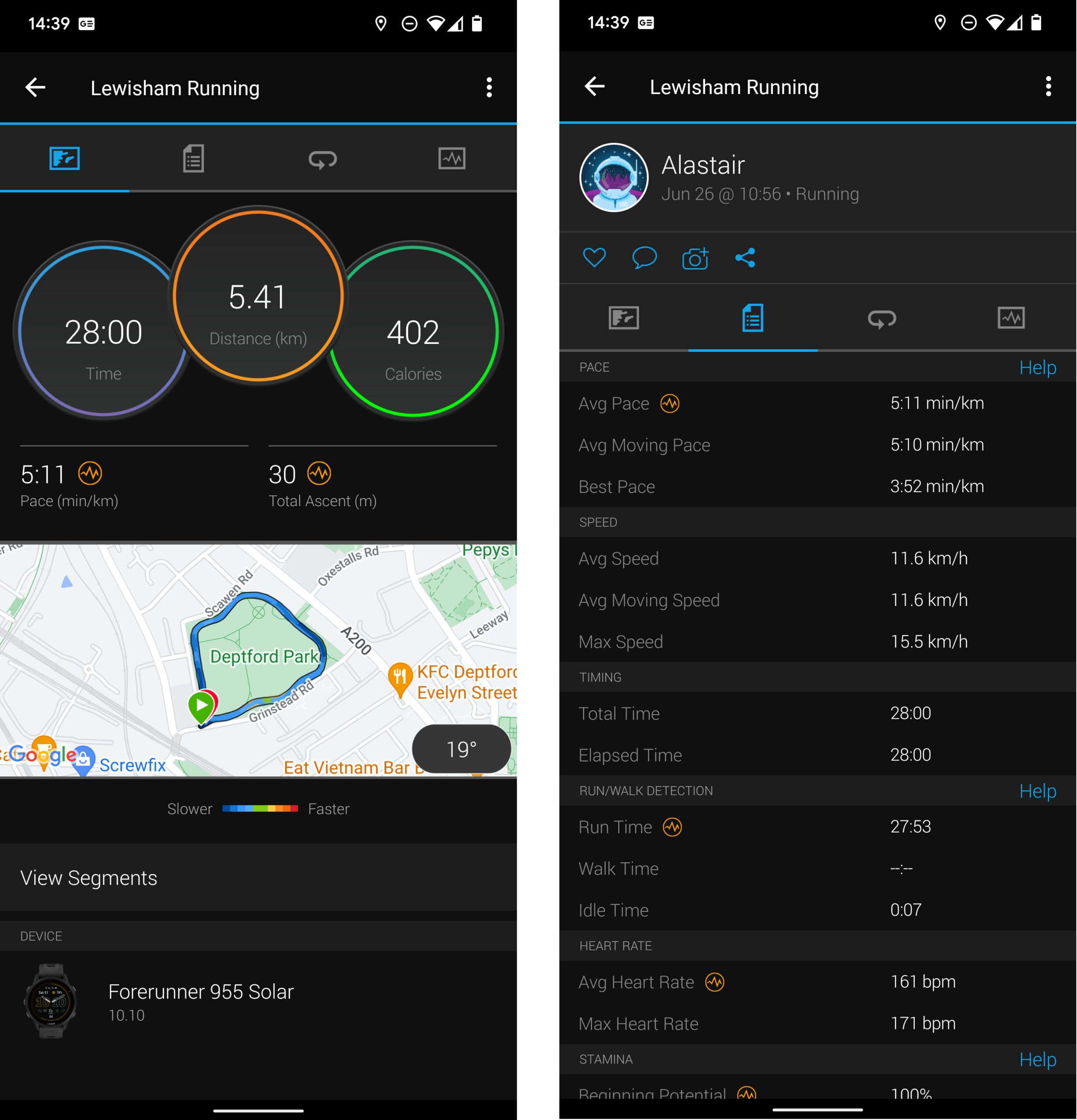
“Garmin Forerunner 955 Review | Trusted …” from www.trustedreviews.com and used with no modifications.
Executing Your Home Gym Shed Workouts with Precision
Starting Off on the Right Foot: A Warm-up Routine
Every good workout starts with a proper warm-up. It’s crucial for preventing injury and preparing your body for the session ahead. Your Garmin device can help you time your warm-up perfectly. Aim for at least 5-10 minutes of light cardio followed by dynamic stretches. Your heart rate data will tell you when you’re ready to move on to the main event.
Sculpting Strength: Resistance Training Sessions
Strength training is a cornerstone of any fitness routine. With Garmin Connect, you can track your sets, reps, and rest intervals. Keep an eye on your heart rate to ensure you’re working hard enough, but not overdoing it. Remember, consistency is key, so use your Garmin to help you stick to your plan.
Boosting Endurance: Cardiovascular Drills
Whether you’re on a treadmill, stationary bike, or jumping rope, Garmin Connect can help you keep track of your pace, distance, and heart rate. Use this data to push your limits and improve your cardiovascular health. Over time, you’ll see your endurance soar.
Engaging the Core: Focused Core Exercises

A strong core is essential for overall fitness. Use Garmin Connect to time your planks, count your crunches, and monitor your progress. As you strengthen your core, you’ll notice improvements in your balance, stability, and performance in other exercises.
For example, if your goal is to hold a plank for two minutes, use your Garmin device to set a timer. Start with shorter intervals and gradually increase the duration as you get stronger.
Winding Down: A Cool-down Sequence
Don’t skip the cool-down. It’s as important as the workout itself. Use your Garmin to guide you through a series of static stretches, holding each for at least 30 seconds. This will help reduce muscle soreness and improve flexibility.
Harnessing the Power of Data: Analyzing Your Workout Performance
Understanding Key Metrics Tracked by Garmin Connect
Garmin Connect provides a wealth of data to help you understand your workouts. Here are some key metrics you’ll want to pay attention to:
-
Heart Rate: Indicates workout intensity and helps assess cardiovascular health.
-
Calories Burned: Useful for weight management and understanding the energy expenditure of different exercises.
-
Reps and Sets: Track strength training progress and ensure you’re hitting your targets.
-
Recovery Time: Tells you how much rest you need before your next intense workout.
By analyzing these metrics, you can fine-tune your workouts to maximize efficiency and effectiveness.
Reading and Interpreting Garmin Connect Data for Improvement
After each workout, take a moment to review your data in Garmin Connect. Look for trends over time—are you getting faster, stronger, more efficient? Use this information to set new challenges for yourself and to adjust your workouts as needed.
Remember, the numbers tell a story about your fitness journey. Listen to what they’re saying, and you’ll be on the path to continuous improvement.
Staying Motivated and Challenged: Advancing Your Workouts
Consistency is the key to success, but it’s staying motivated and challenged that turns your workouts from a routine to a lifestyle. Garmin Connect doesn’t just track your workouts; it pushes you to keep growing and improving. With smart goal setting and a variety of new workouts and challenges, you’ll find that staying motivated is easier than you think.
Setting Smart Fitness Goals with Garmin Connect
Setting goals is a fundamental step in your fitness journey. But what’s crucial is setting SMART goals—Specific, Measurable, Achievable, Relevant, and Time-bound. Garmin Connect helps you define these goals with precision. Whether it’s improving your 5K time, increasing the weight you lift, or extending the duration of your planks, your Garmin device provides the data you need to set and reach your goals.
Discovering New Workouts and Challenges
Feeling stuck in a workout rut? Garmin Connect regularly updates with new workouts and challenges that can inject excitement back into your routine. Whether it’s a global step challenge or a community cycling event, there’s always something new to try. And with Garmin’s workout suggestions, you can find routines that are tailored to your current fitness level and goals.
Tracking Progress Over Time and Celebrating Milestones
One of the most satisfying aspects of any fitness journey is looking back and seeing how far you’ve come. Garmin Connect makes it easy to track your progress over time. Whether it’s a personal best in a run or an increase in your deadlift, Garmin Connect celebrates these milestones with you. And when you hit those big goals, it’s time to set new ones—because progress never stops.
Garmin Connect Community: Leveraging Social Features
One of the most powerful features of Garmin Connect is its community. Here, you can connect with friends, join public challenges, and share your achievements. It’s not just about competition; it’s about finding inspiration and support from a community of like-minded individuals.
Joining Challenges and Competitions
Challenges and competitions are a great way to stay motivated. Garmin Connect offers a variety of challenges you can join to push yourself and see how you stack up against others. From step challenges to cycling races, there’s something for everyone. And the best part? You can join right from your app and compete from the comfort of your home gym.
Sharing Success and Finding Support
Success is sweeter when shared. Garmin Connect allows you to post your achievements and share your journey with friends and followers. This isn’t just about bragging rights; it’s about building a support system that keeps you going. You’ll find encouragement, advice, and maybe even a little friendly competition to keep you moving forward.
Frequently Asked Questions
How does Garmin Connect enhance my home gym workouts?
Garmin Connect turns your home gym into a high-tech fitness center. By tracking every aspect of your workout, from heart rate to calories burned, it provides detailed insights that help you train smarter. It also offers a variety of workouts and challenges to keep your routine fresh and engaging.
Can I create custom workout plans with Garmin Connect?
Absolutely! Garmin Connect allows you to build personalized workout plans that fit your goals and schedule. You can customize everything from the type of exercise to the duration and intensity, ensuring that your home workouts are always tailored to your needs.
Does Garmin Connect offer features for new workout ideas?
Yes, it does. Garmin Connect is constantly updated with new workout ideas and preloaded routines. Whether you’re looking for a quick HIIT session or a comprehensive strength training plan, Garmin Connect has you covered.
How detailed is the performance data tracked by Garmin Connect?
Garmin Connect provides a wealth of performance data that’s both detailed and easy to understand. It tracks everything from the basics like steps and calories to advanced metrics like VO2 max and lactate threshold. This data is invaluable for assessing your performance and planning future workouts.


